The Guide to TendHunter's Plans and Features
In a competitive market, finding the right tender is the first critical step toward growth. But navigating the vast sea of public and private opportunities can be complex, time-consuming, and often frustrating. How can you ensure you never miss the one tender that could transform your business?
At TendHunter, we've engineered the solution. Our intelligent, AI-powered platform is much more than a search engine. It's a strategic partner designed to help you identify, analyze, and win the opportunities that perfectly match your core business.
To suit the size and ambition of every company, we offer three distinct subscription plans: Discovery, Pro, and Business. This guide will detail each plan and the powerful features it unlocks, so you can choose the offering that will fuel your growth.
1. Find the Right Plan for You
Each plan is designed to support a specific stage of your business development. Here is a detailed breakdown of what each one includes.
1. Discovery Plan
- Description: Access AI-powered tender search and opportunity discovery.
- Best for: Freelancers, small businesses, or companies wanting to start exploring the world of tenders intelligently.
- Pricing: €19/month or €199/year (2 months free).
Features Included:
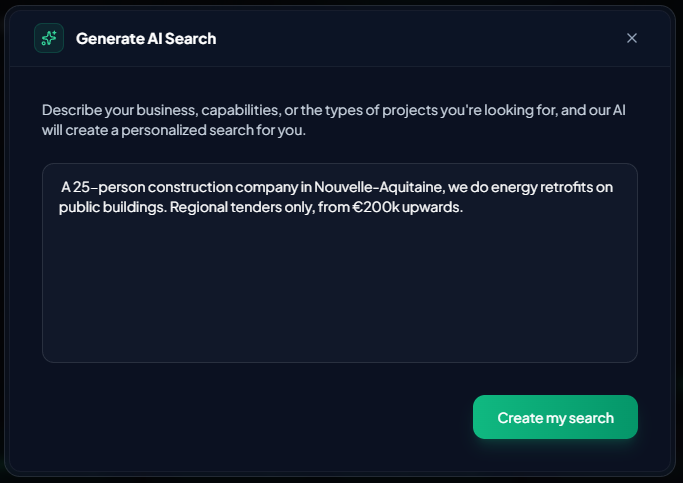
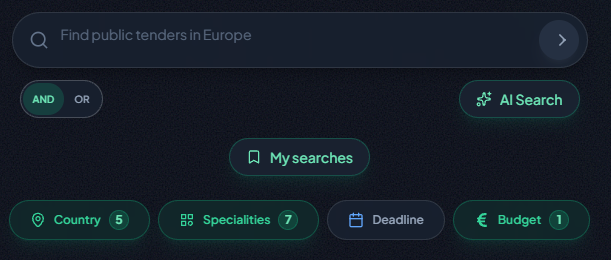
- AI Search & Advanced Filters: Search for the most relevant opportunities with advanced filters: country, specialties, budget, dates, keywords, and AND / OR operators. To move even faster, simply describe your need in natural language: the AI instantly turns it into an optimized search.
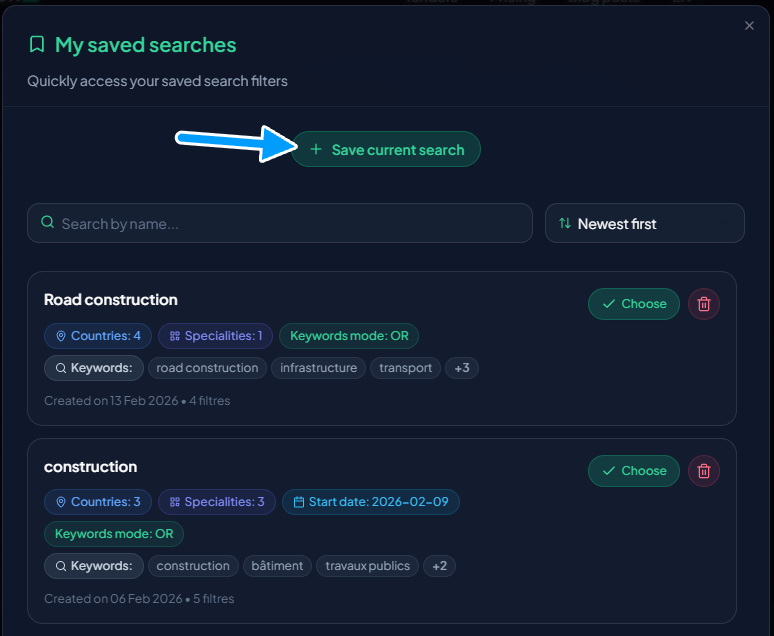
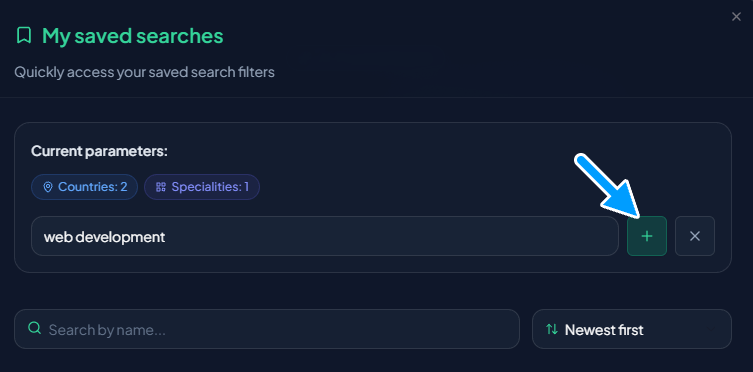
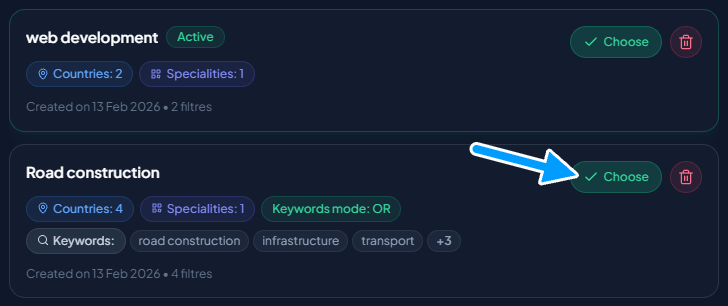
- Saved searches: Set up your filters once, give your search a name, and re-run it in a single click.
- Tender Summaries: Access summary sheets generated by our intelligent system, bringing together all the key elements of each tender and allowing you to assess an opportunity in just a few seconds.
2. Pro Plan
- Description: Advanced tender analysis with up to 2 active projects, AI document processing, Smart Checklists to automate your decision criteria, and per-tender task management to steer your bid preparation on a daily basis.”
- Best for: SMBs and teams that need robust organizational and analytical tools to manage multiple opportunities simultaneously and in-depth.
- Pricing: €99/month or €990/year (2 months free).
Features Included:
- Everything in Discovery: All the search and summary features from the Discovery plan.
- Manage up to 2 Projects: Create up to 2 "Projects," which are dedicated workspaces to organize, analyze, and track your tenders in a targeted manner.
- Unlimited Tenders per Project: Add as many tenders as you need to your projects, with no restrictions.
- AI Matching Analysis: For each tender, the AI evaluates its relevance to your project and assigns it a precise score, along with a detailed analysis report including an AI's overall reasoning, key strengths and concerns, submission complexity, strategic advice, questions to ask the buyer, and a criterion-by-criterion analysis. For multi-lot tenders, each lot receives its own detailed analysis.
- Tender Tracking Board: Manage your tenders like a pro with an advanced Kanban-style board. Add information, set reminders, take notes, adjust priorities, and track the progress of each opportunity. Each card in the board becomes a mini-workspace bringing together the essential information and a direct access point to TendHunter's key features: AI Matching Analysis, Smart Checklists, AI Document Assistant, and Per-tender Task Management.
- AI Document Assistant: Upload the relevant documents (tender package: specifications, bidding rules, contractual terms, etc., along with your internal documents) to prepare your response to the selected tender. Then, combine them with your Company Knowledge Base to generate strategic reports from the selected sources and interact directly with our AI chat agent to ask questions, explore specific topics in greater depth, and obtain accurate answers tailored to the context of your documents and the tender opportunity.
- Smart Checklists: Formalize your own Go/No-Go criteria. Our AI answers them automatically for every tender added to a project, by cross-referencing the tender data (description, lots, criteria) with your project context (skills, specialties, preferences). Up to 10 checklists of 10 questions per project. Statuses: Compliant · Caution · Non-compliant · Unknown.
- Tender task management: Centralize your entire bid preparation in TendHunter, with no external tool needed. For each tender: tasks and subtasks, assignment to project members, priorities, statuses, due dates, comments, and activity log — all with real-time collaboration.
- Targeted Tender Suggestions: Receive new tender opportunities every day that match your project criteria, each accompanied by a relevance score and a detailed analysis report.
3. Business Plan
- Description: Unlimited projects, comprehensive AI tender analysis, team collaboration, and priority processing.
- Best for: Large enterprises and dedicated proposal teams managing a high volume of opportunities who require advanced collaborative tools and maximum performance.
- Pricing: €299/month or €2,990/year (2 months free).
Features Included:
- Everything in Pro: The full suite of management and analysis features from the Pro plan.
- Advanced Collaboration & Roles: Turn TendHunter into your team's central hub. Invite members, define granular permissions, and assign specific roles (Manager, Member, Viewer) for each project. Tender task management becomes fully collaborative: assign each task to one or several team members, track progress in real time, and coordinate your experts through built-in comment threads.
- Unlimited Projects: Remove all limits. Create as many projects as your growth strategy demands.
- Increased Document Analysis Quota: Benefit from a significantly higher volume of AI document analyses to process even more opportunities in depth.
- Priority AI Processing: Your requests (searches, document analyses) are prioritized on our servers, ensuring maximum speed and responsiveness.
- Priority Support: Get direct access to our support team with guaranteed faster response times.
2. Search and Discovery (All Plans)
All subscribers, regardless of their plan, benefit from our powerful and intuitive search and discovery engine.
Tender Summaries
Each tender in TendHunter features a summary sheet to save you valuable time. Instantly find:
- General Information: Title, summary, issuing organization, and specialties.
- Key Details: Country, language, estimated budget, submission deadline, and contract duration.
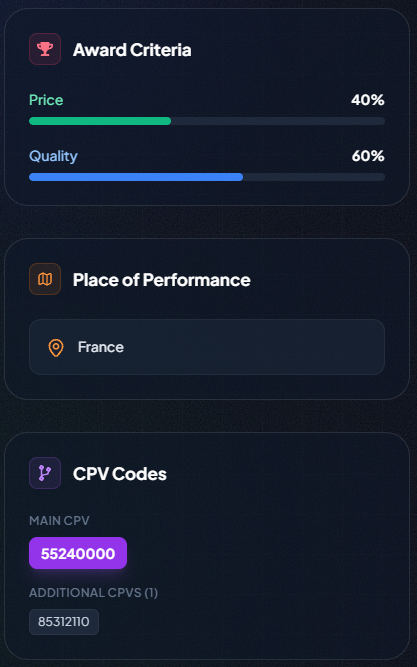
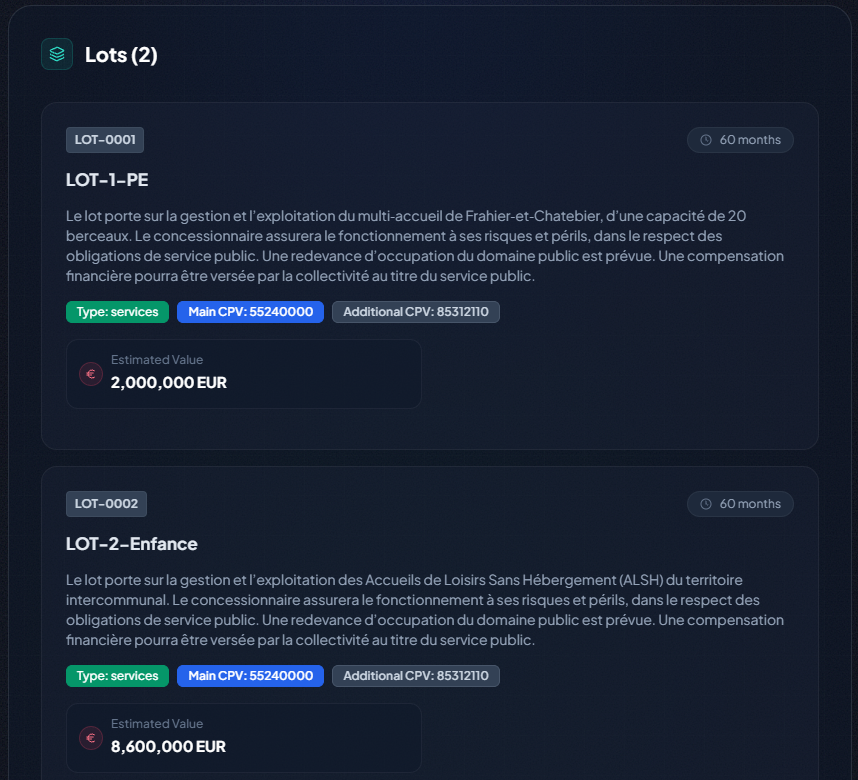
- Technical Specifics: Award criteria (e.g., Price 60%, Quality 40%), place of performance, CPV codes, and lot details.
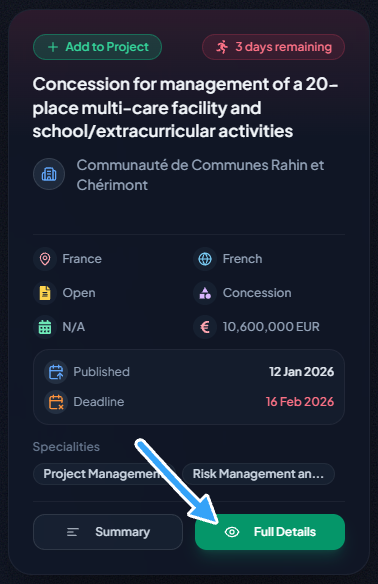
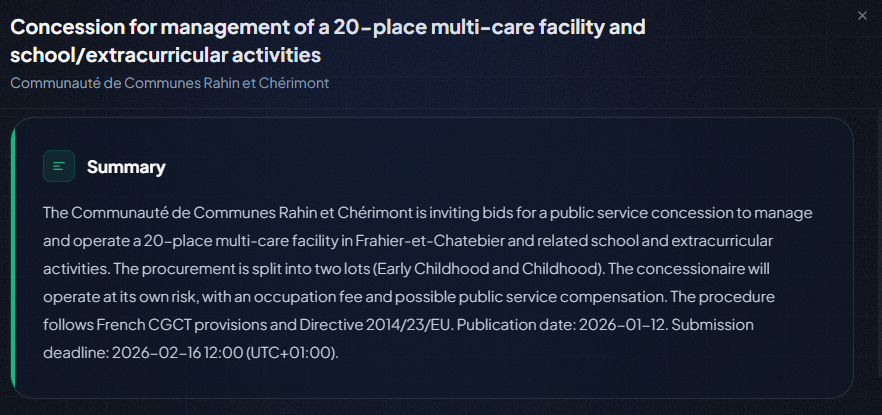
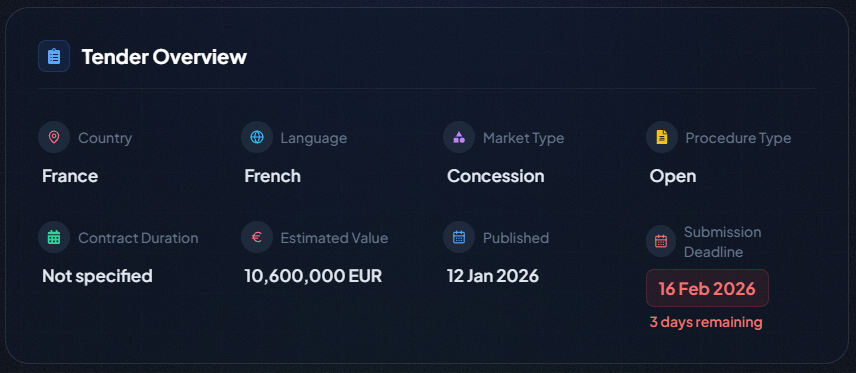
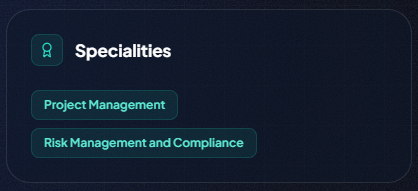
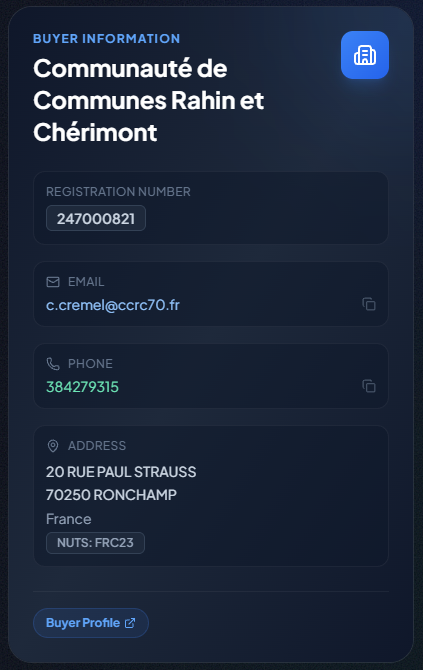
Subscriber Exclusive: Only users with an active subscription have access to the buyer's contact information (email, phone), the source publication URL, and the original PDF document.
Powerful Search & Advanced Filters
Target opportunities with surgical precision using:
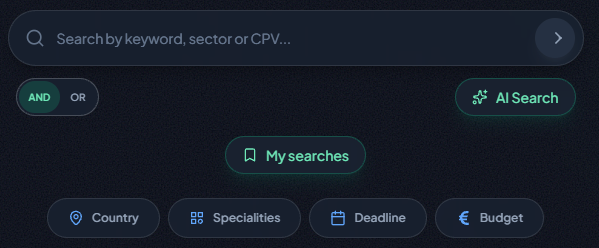
- Multiple Filters: Refine by Country, Specialties, Submission Deadline (with start and/or end dates), and Budget (with minimum and/or maximum amounts).
- Keyword Search: Enter your terms and choose your mode: AND (results must contain all words) or OR (results can contain any word).
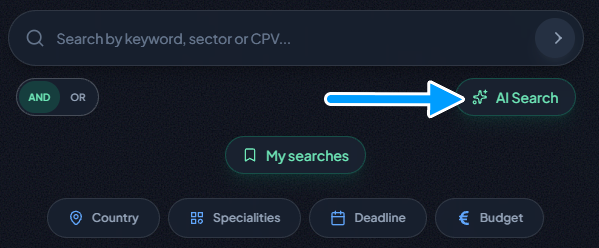
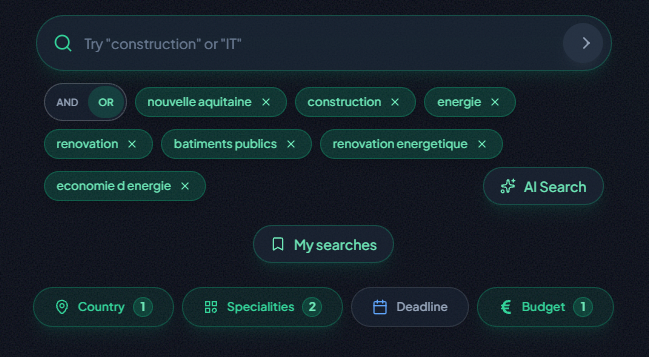
- AI-Powered Search (Subscriber Exclusive): Click "AI Search," describe your business and needs in natural language, and our AI will translate it into a perfectly configured search, selecting the most relevant keywords and specialties for you.
Enhanced Productivity (Subscriber Exclusive)
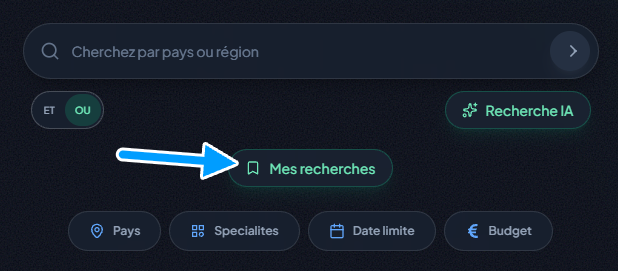
- Saved Searches: Do you frequently run the same complex searches? Configure your filters and keywords, click on "My Searches," give your setup a name, and save it. You can then re-apply all those criteria with a single click. Each user can save up to 20 custom searches.
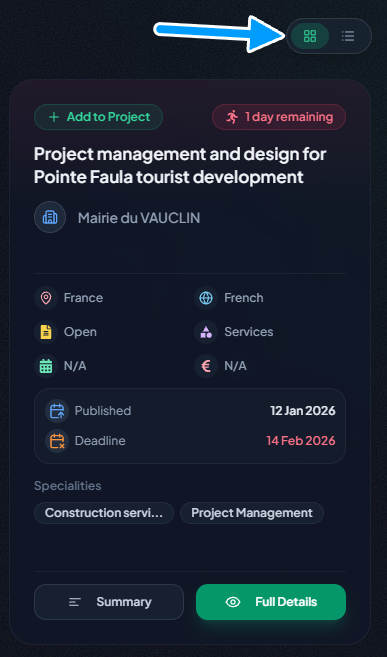
- Custom Views: Choose how your search results are displayed. Opt for a compact view to quickly scan numerous opportunities, or switch to a detailed view to see more information directly on the results page without having to click into each tender.
3. Strategy & Organization: The Power of Projects (Pro & Business Plans)
With the Pro and Business plans, you move beyond simple searching and into the realm of strategic opportunity management with Projects. A project is a dedicated workspace where you can group, analyze, and track a targeted set of tenders.
- The Pro Plan allows you to create and manage up to 2 active projects.
- The Business Plan unlocks unlimited projects, giving you the freedom to pursue as many different strategies as you need.
Creating a Project: Defining Your Strategic Target
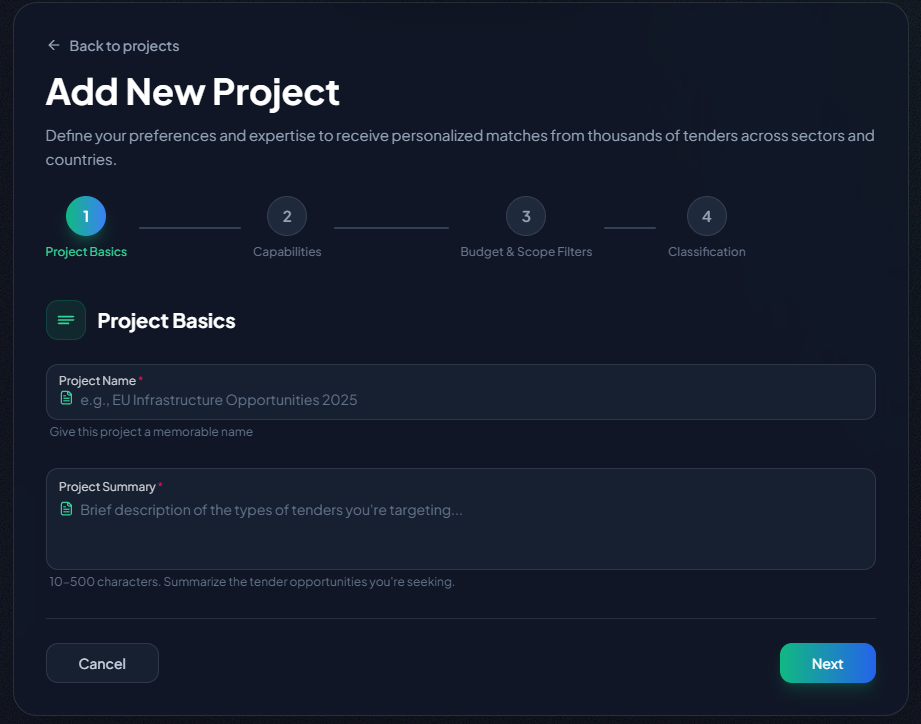
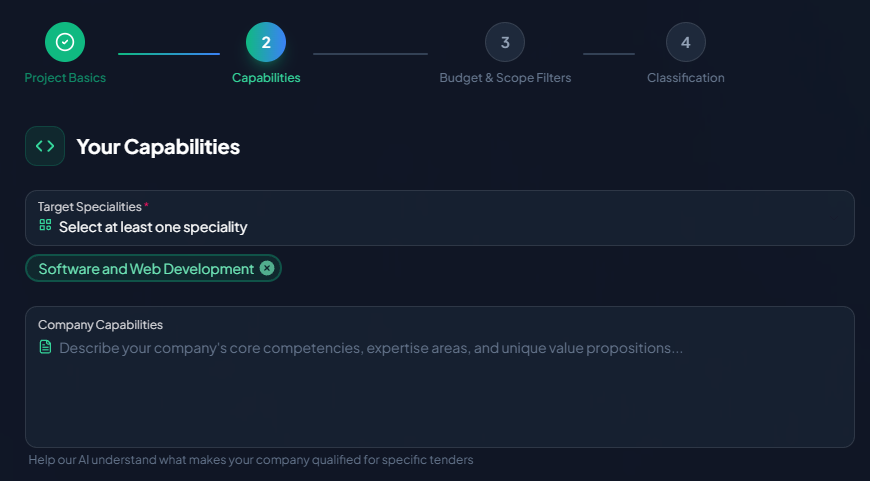
Creating a project is a guided, 4-step process designed to perfectly align with your business goals, with our AI assisting you along the way.
- Basic Information: Start by giving your project a clear name and summary. Our AI will provide suggestions to help you articulate the types of tenders you're targeting.
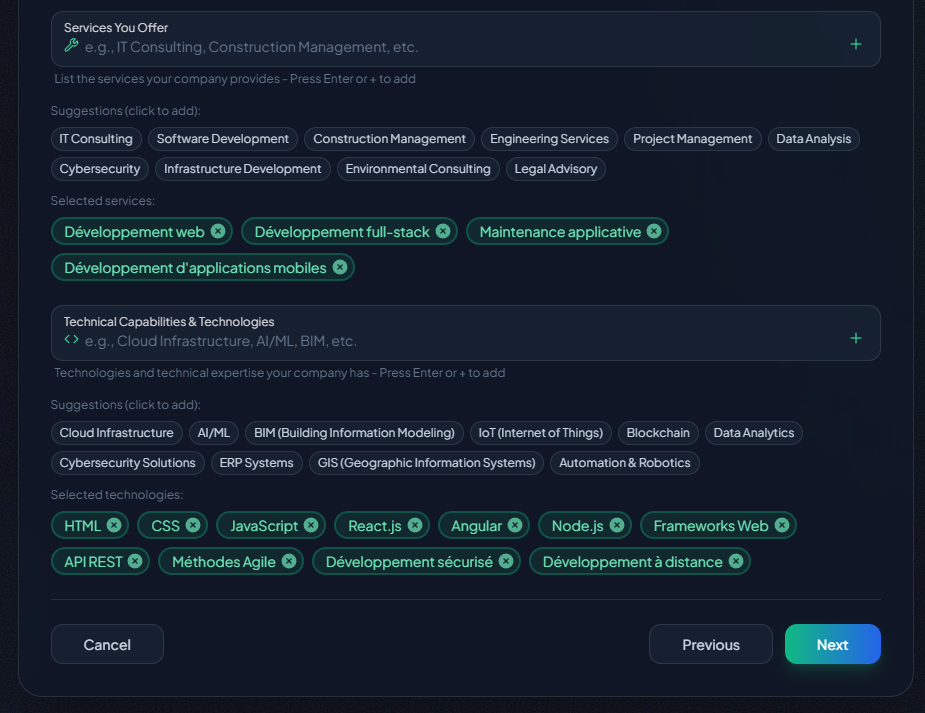
- Capabilities: This is the most critical step. Select your targeted specialties, then detail your company's services, technical capabilities, and technologies. The more precise and detailed you are here, the more accurate and relevant our AI's match scores and suggestions will be.
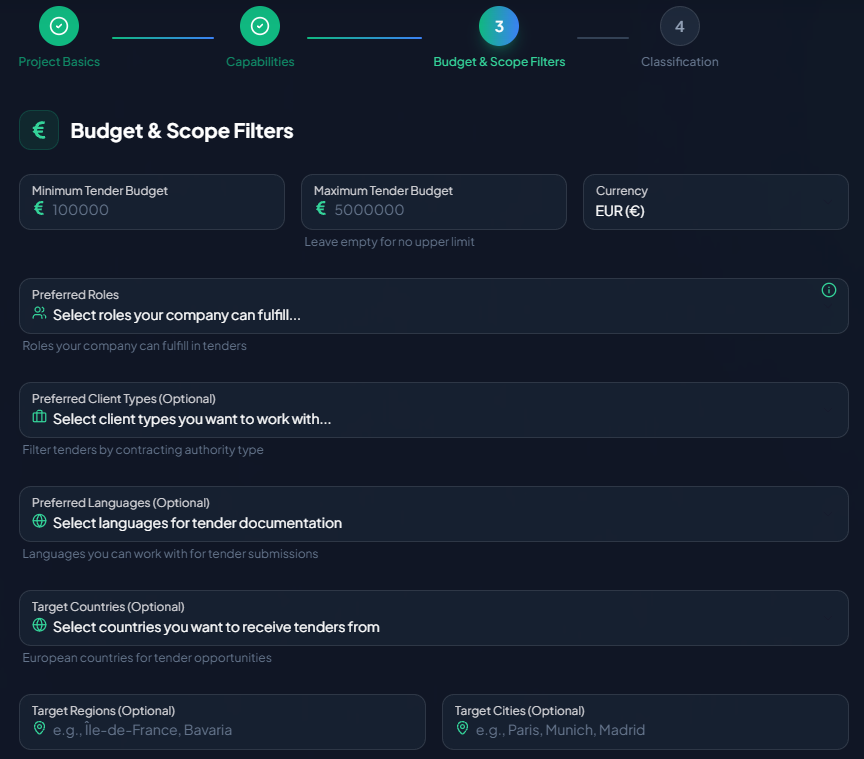
- Budget & Scope: Define the ideal budget range for the tenders you're seeking. You can also specify target countries, preferred languages, and other scope-related criteria.
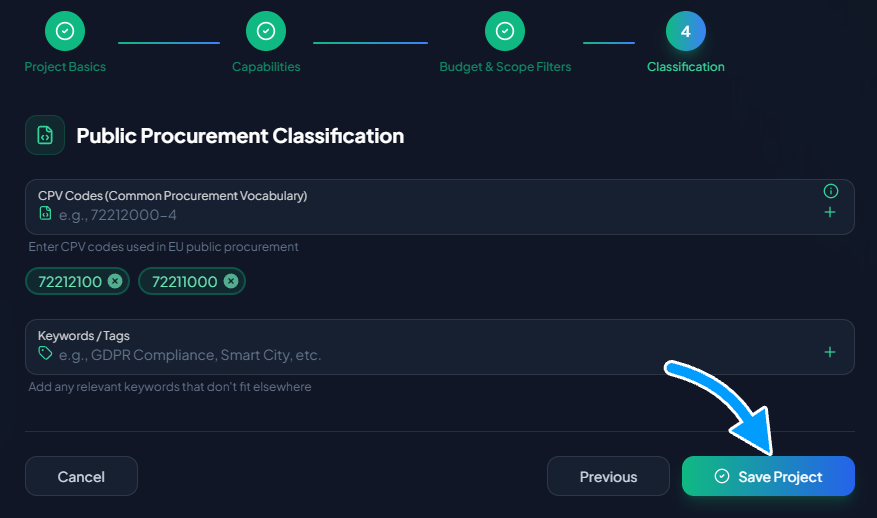
- Classification: Fine-tune your profile by adding specific CPV codes and keywords/tags that are relevant to your industry.
Once you save, your project is created and ready to be populated with opportunities.
Piloting Your Projects from the Dashboard
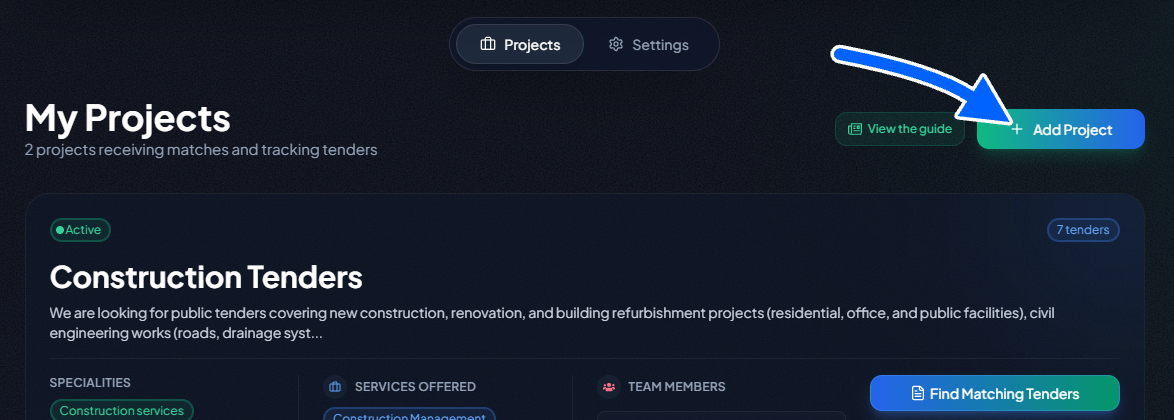
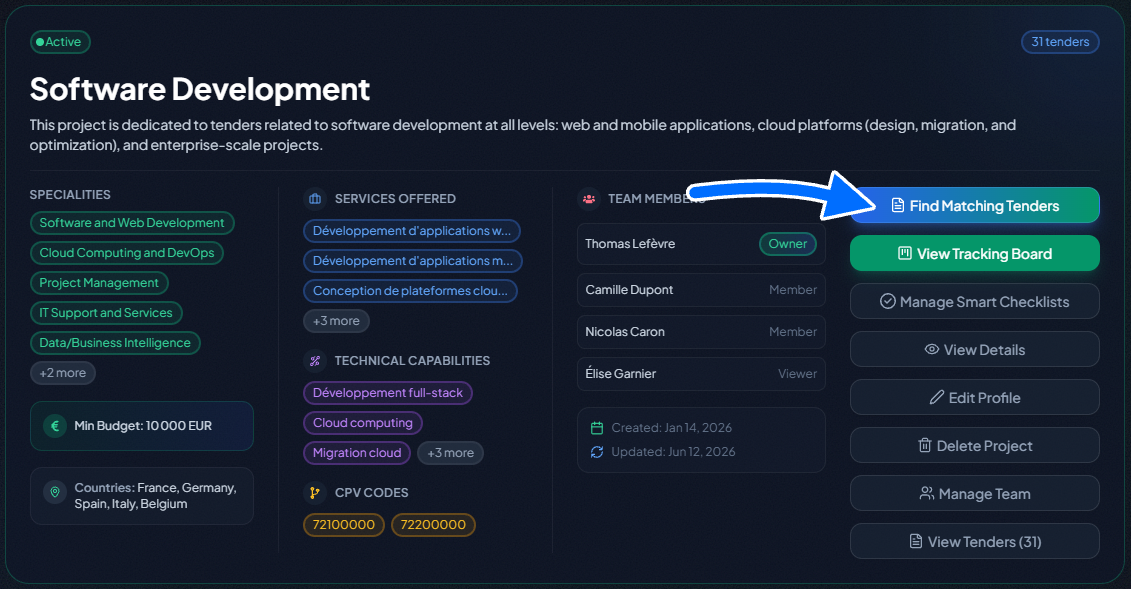
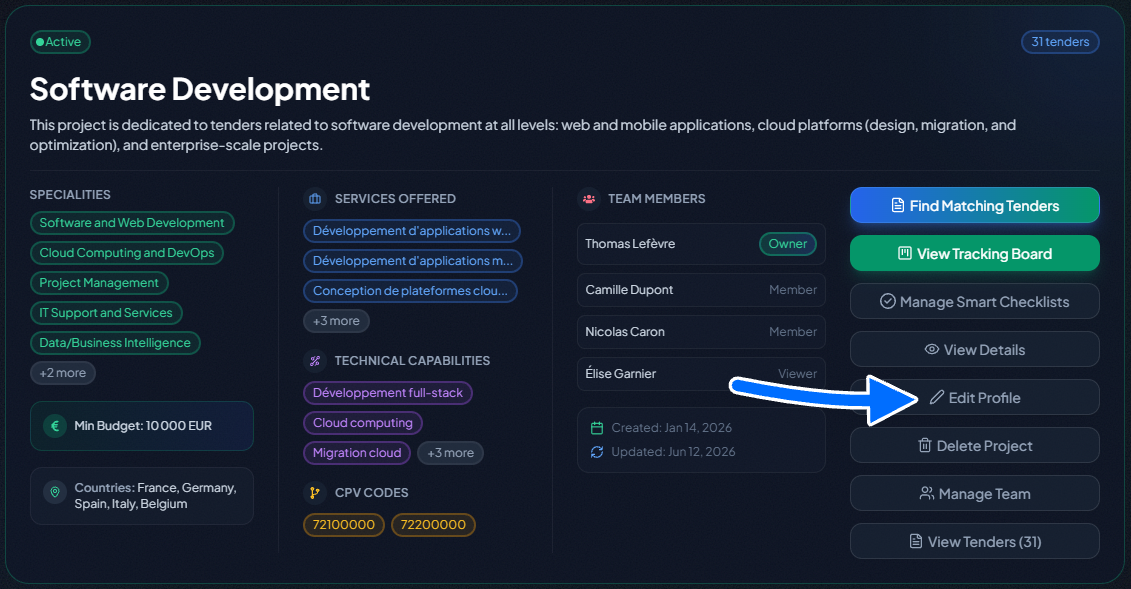
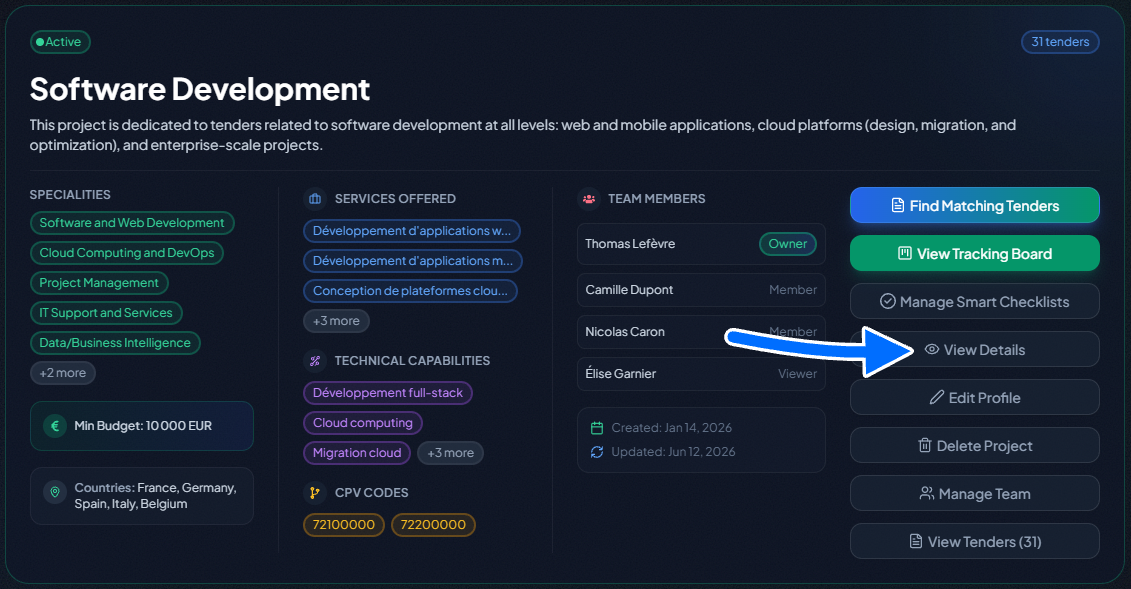
The "My Projects" page acts as your high-level dashboard. From each project card, you have a suite of powerful actions at your fingertips:
- Find Matching Tenders: Clicking this button takes you directly to the tender search page, with the filters for specialties, country, and budget automatically pre-filled based on your project's criteria. It’s the fastest way to find relevant new opportunities.
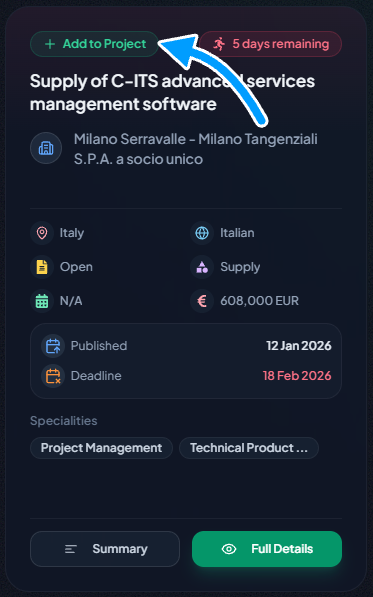
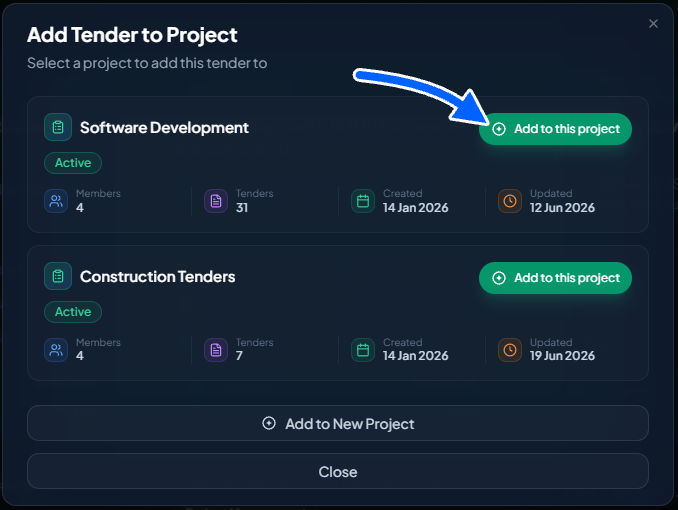
- Add a Tender to a Project: While on the main search page, click the "Add to Project" button on any tender card. A modal will appear listing your existing projects. Simply click "Add to this project." If it's already included, the button will be marked as "Already Added." You can also select "Add to a new project" to create a new project on the fly, with the current tender added automatically.
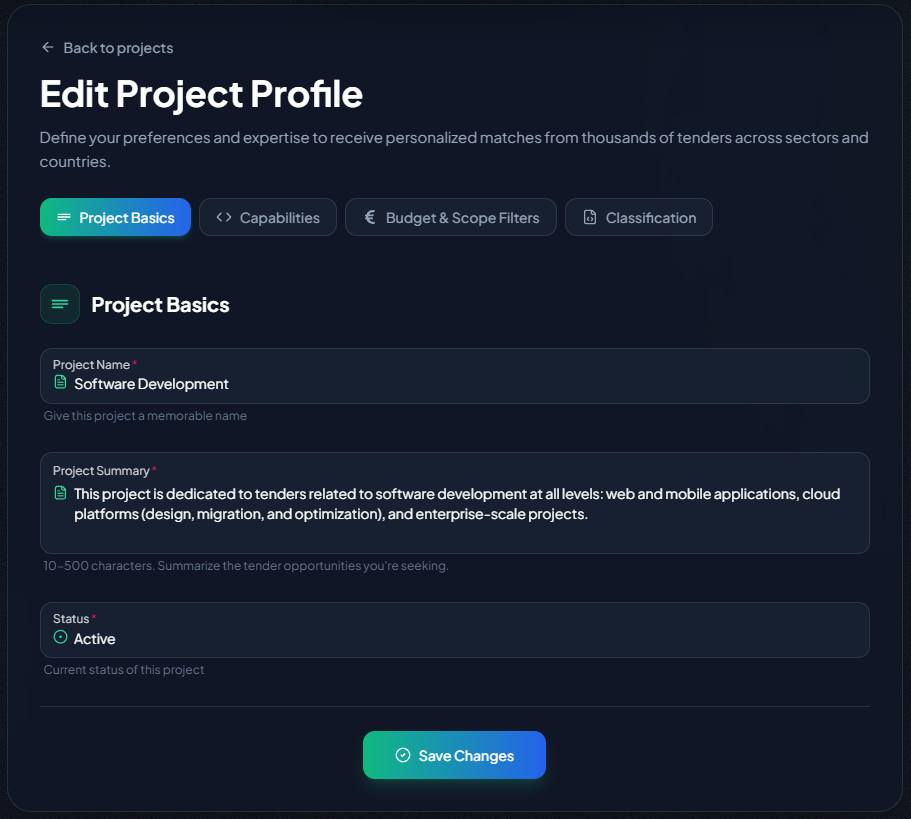
- Edit Profile: As your strategy evolves, you can modify any of your project's criteria at any time.
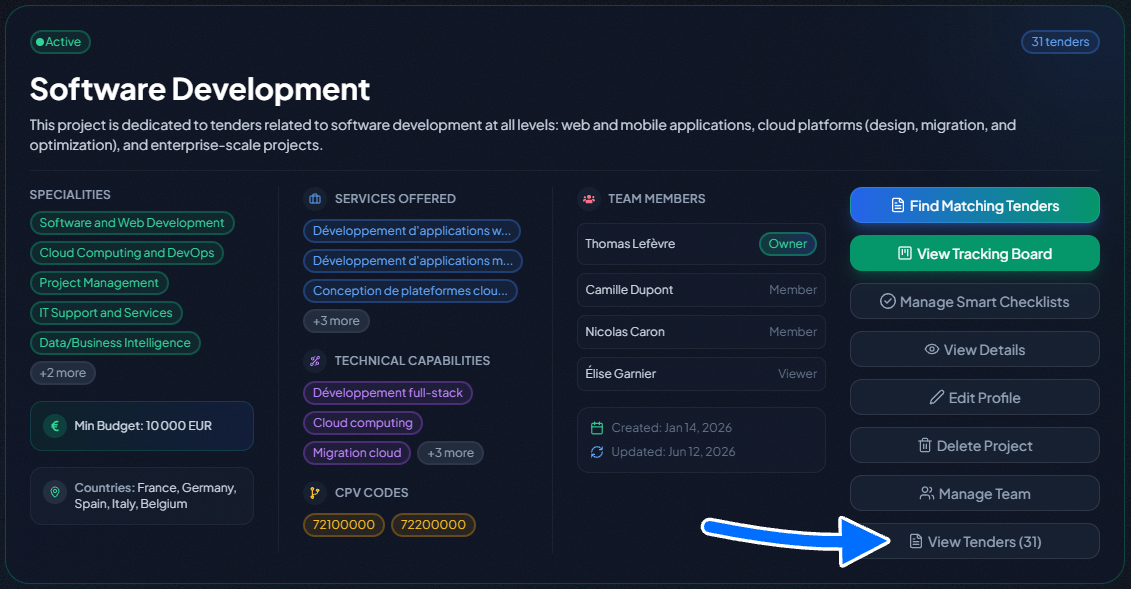
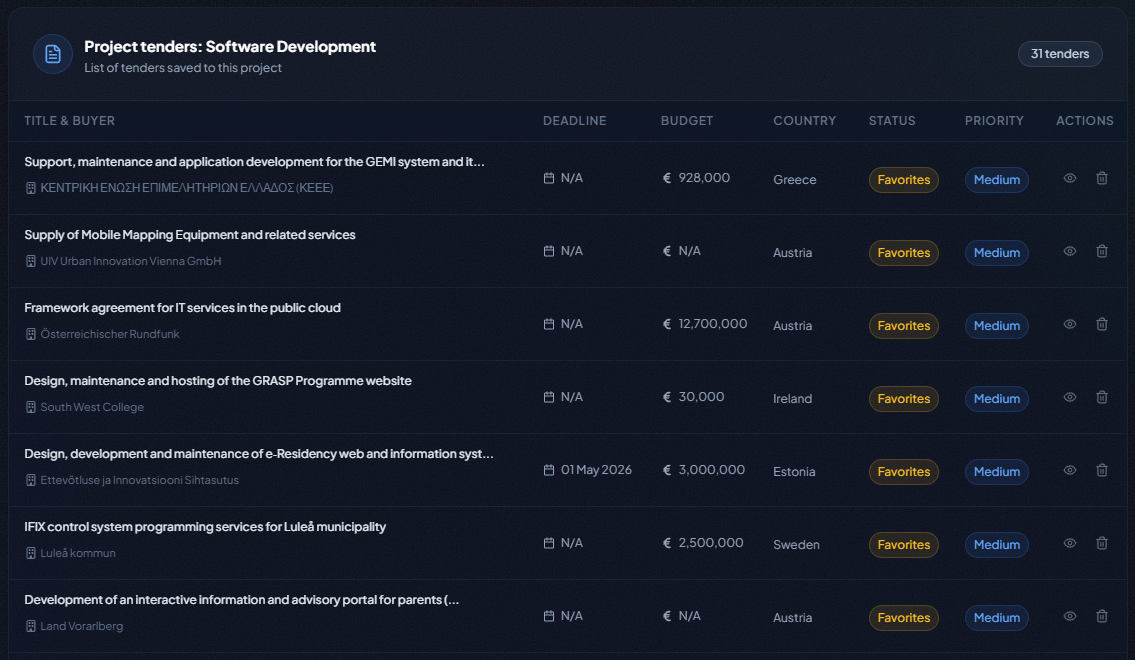
- View tenders: See the list of all tenders you've added to this project.
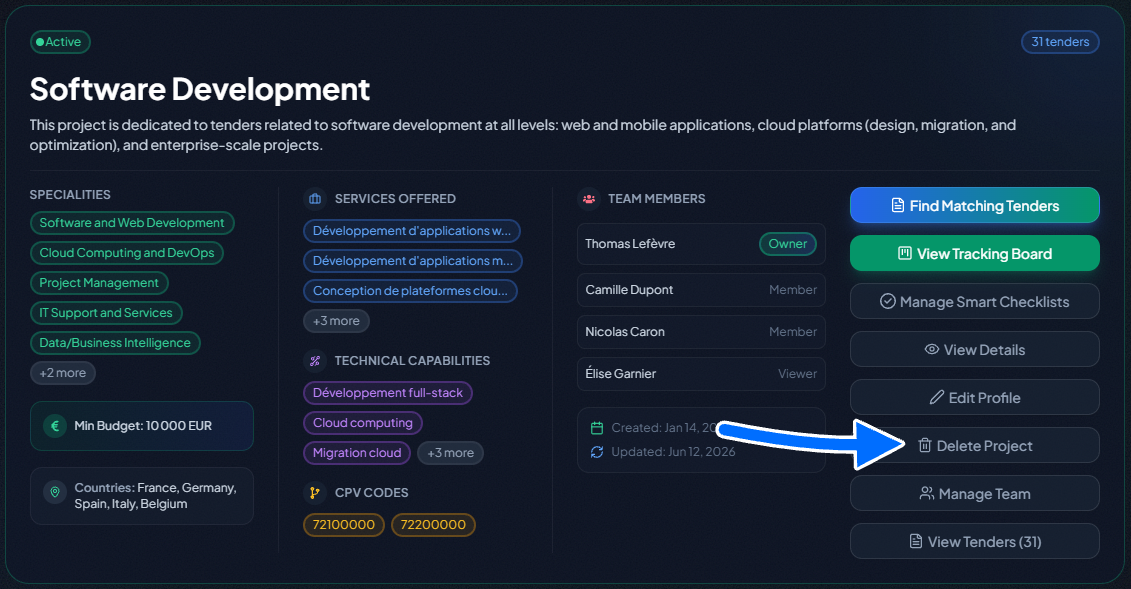
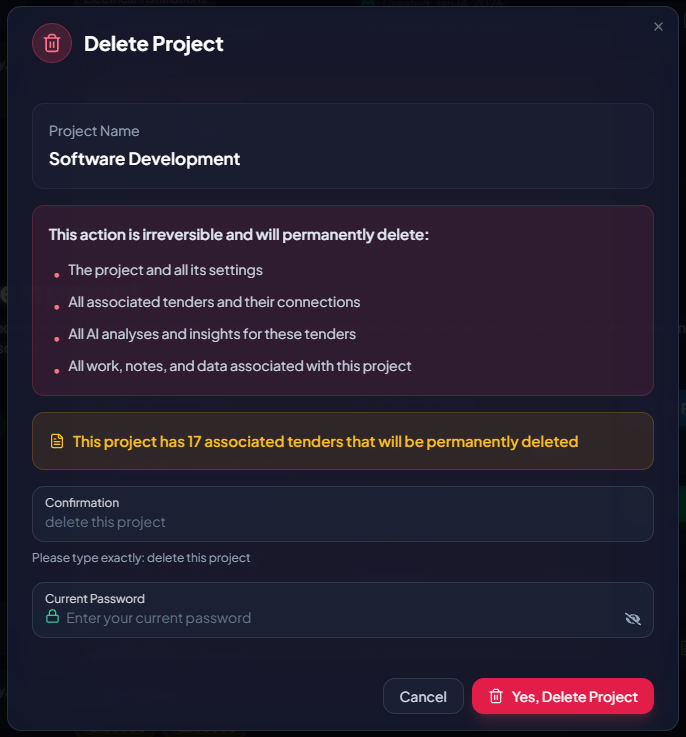
- Delete Project (Admins Only): For security, only Company Admins can permanently delete a project and all its associated data.
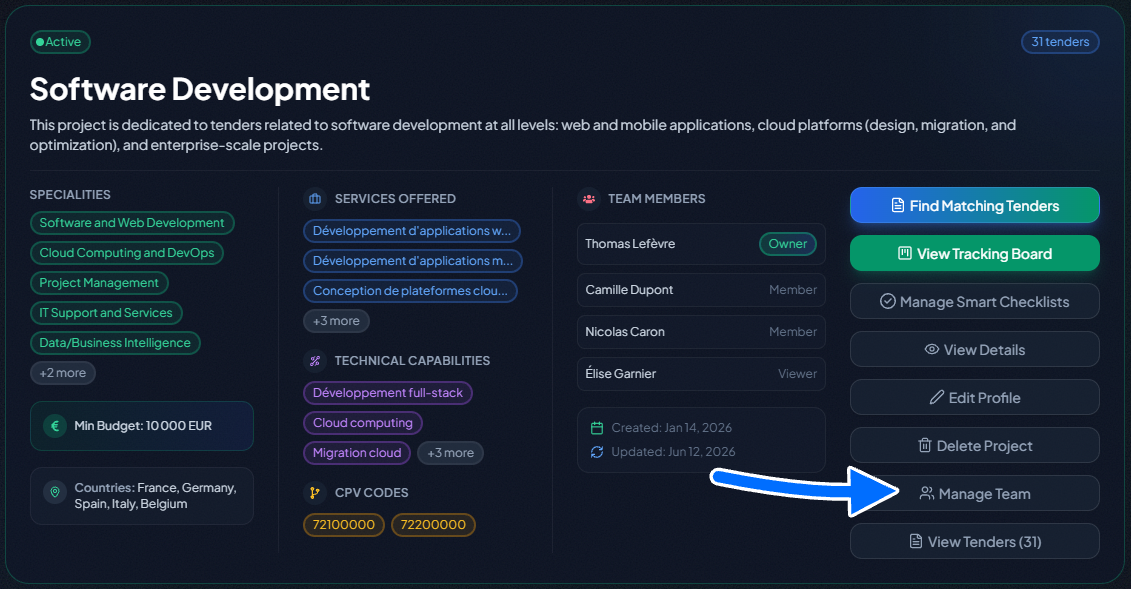
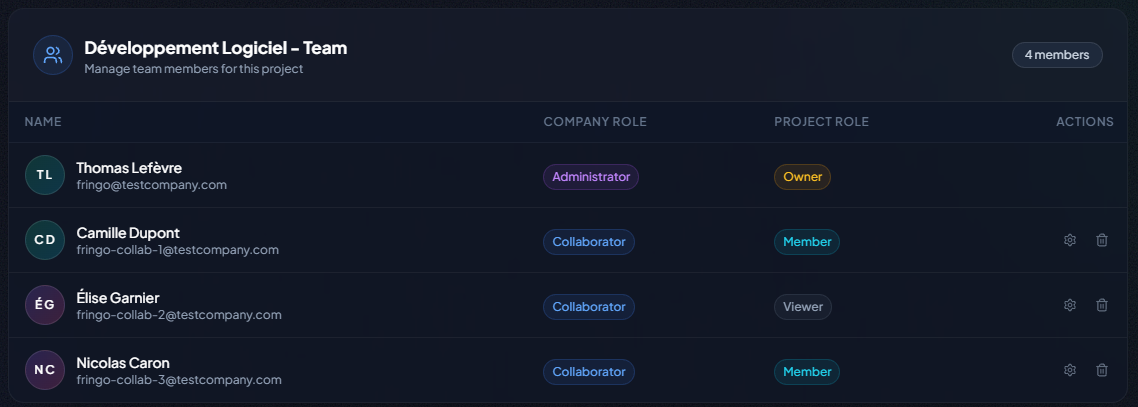
- Manage Team (Business Plan Exclusive): This button opens the door to collaboration. Add team members and assign project-specific roles. For a complete walkthrough, please see our dedicated article: The Guide to Team Management in TendHunter.
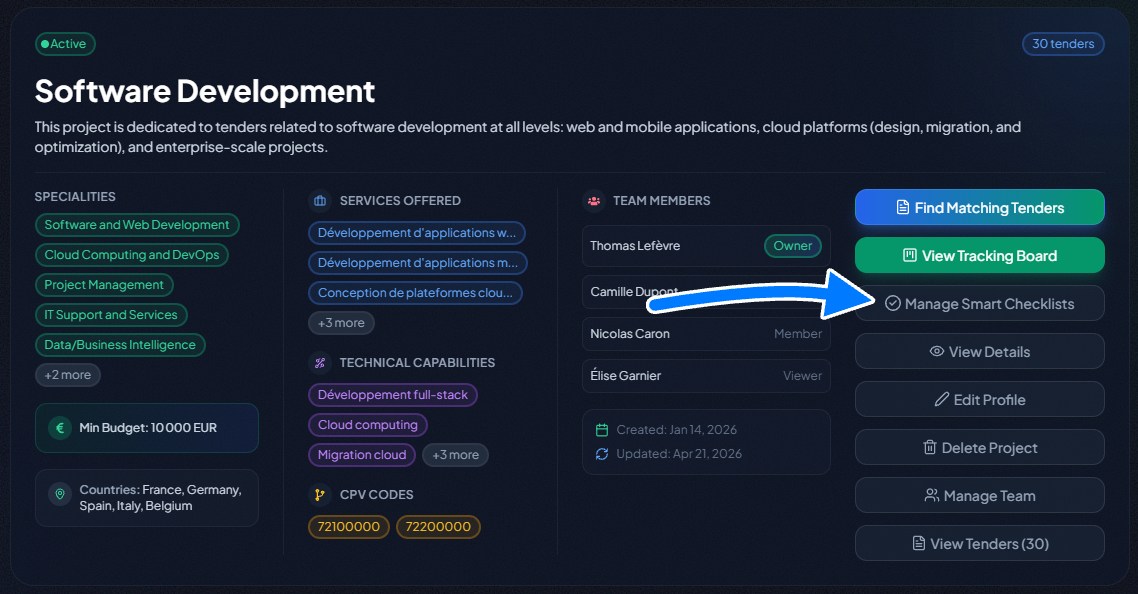
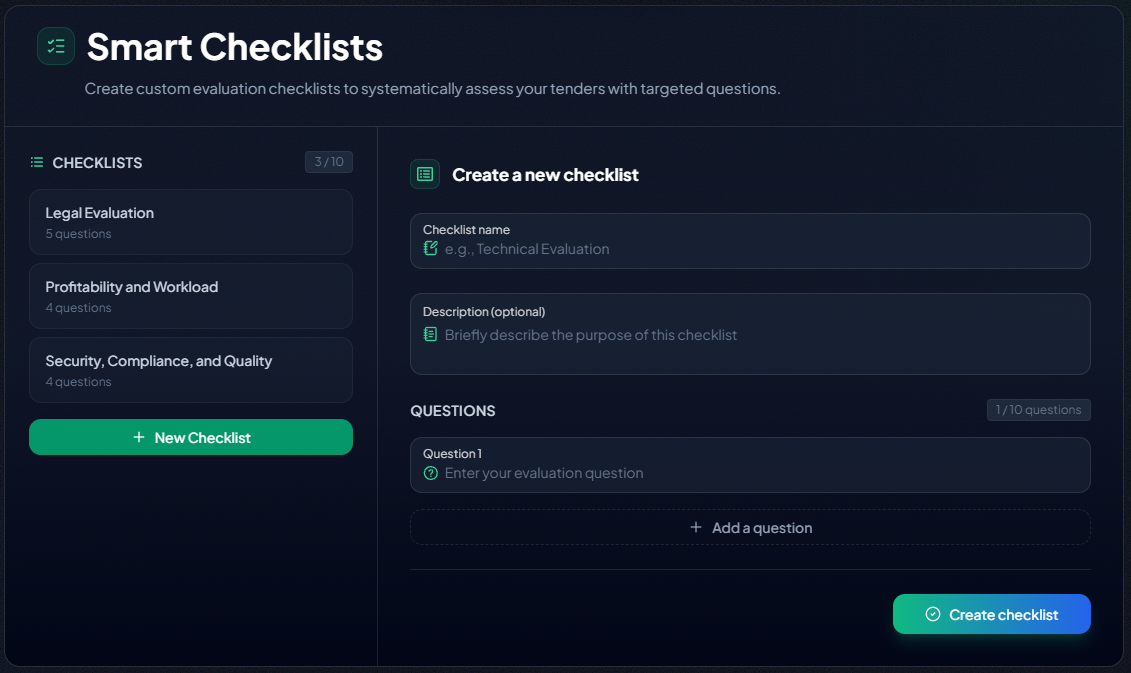
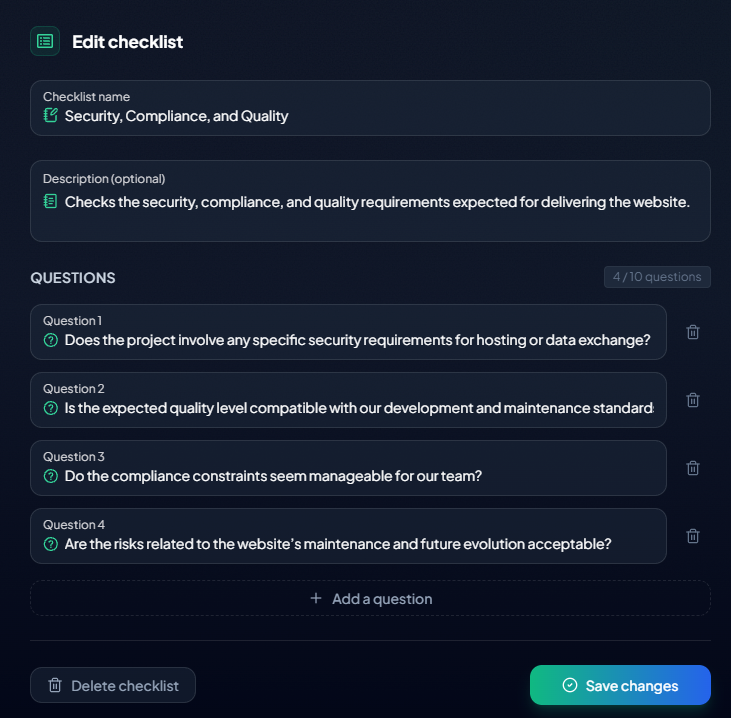
- Manage Smart Checklists: open the management page for this project's intelligent verification lists. Create, edit, or delete your checklists (up to 10 per project, up to 10 questions each) to formalize the Go/No-Go criteria specific to this project. Once created, they are automatically available on every tender within the project. For details, see our article: The Smart Checklists Guide.
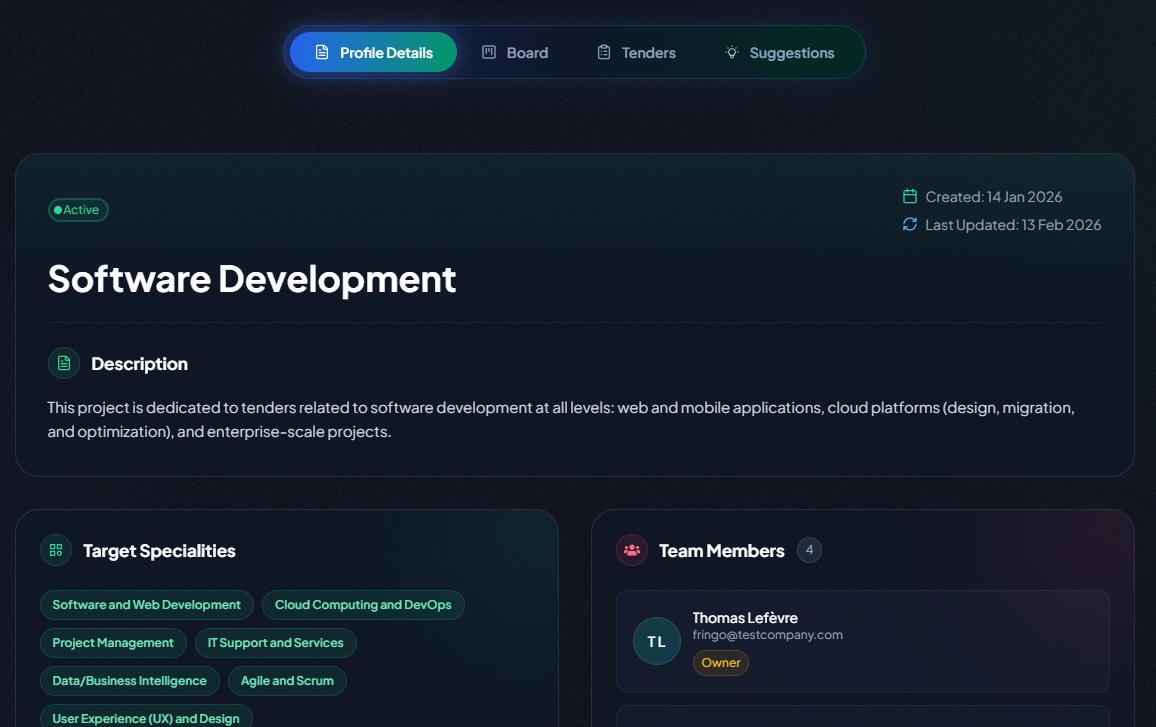
- And when you're ready to dive deep into managing the tenders within a project, you click "View Details." This takes you into the project's dedicated command center.
4. The Project Workspace: Your Command Center (Pro & Business Plans)
Once you've created a project and started adding tenders, it's time for active management. By clicking "View Details" on a project card, you enter its dedicated workspace — your command center for that opportunity, organized around four key tabs.
4.1 Tenders & Suggestions
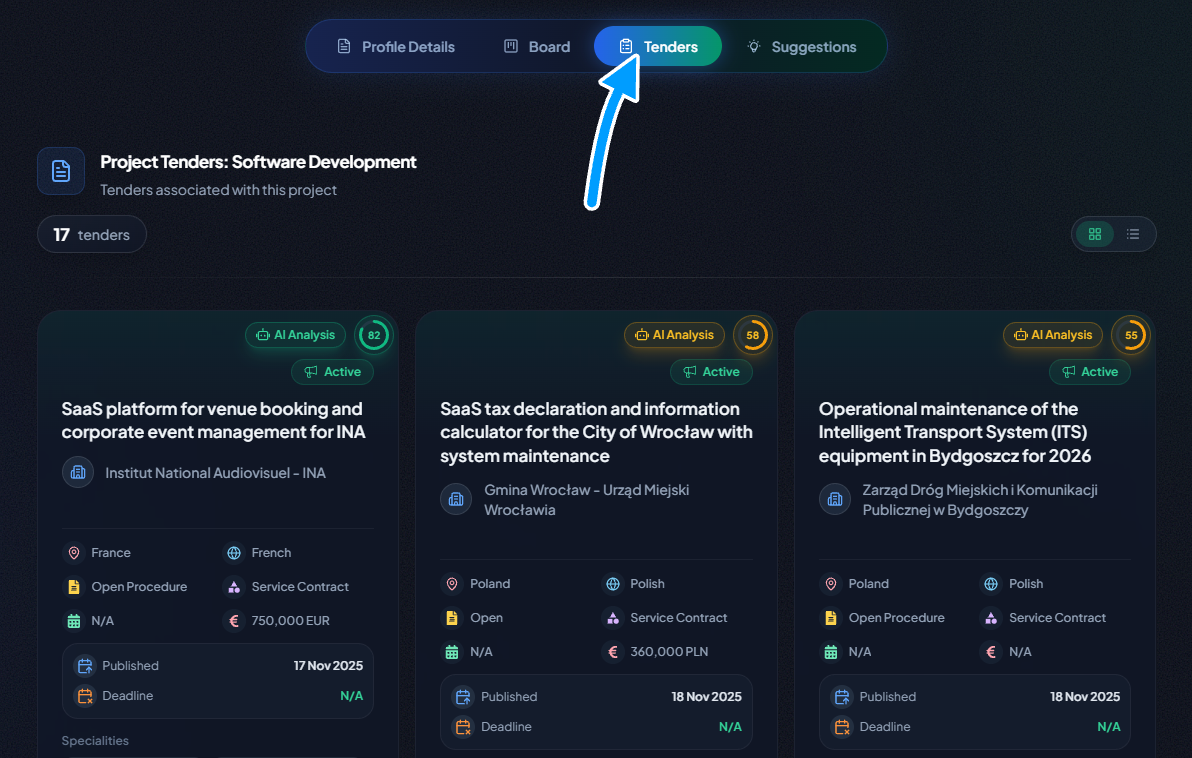
- "Tenders" Tab: Find all the tenders you have manually added to this project.
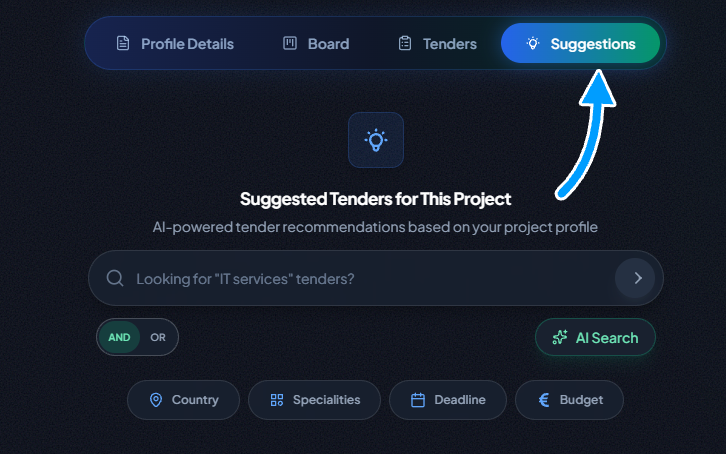
- "Suggestions" Tab: This is where our AI works for you. Every 24 hours, this page updates with new, recommended tenders that match your project's criteria.
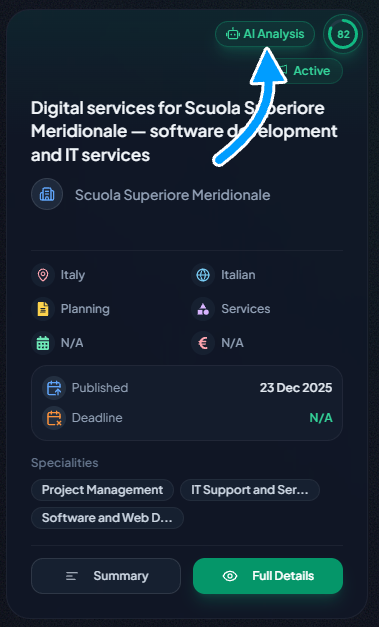
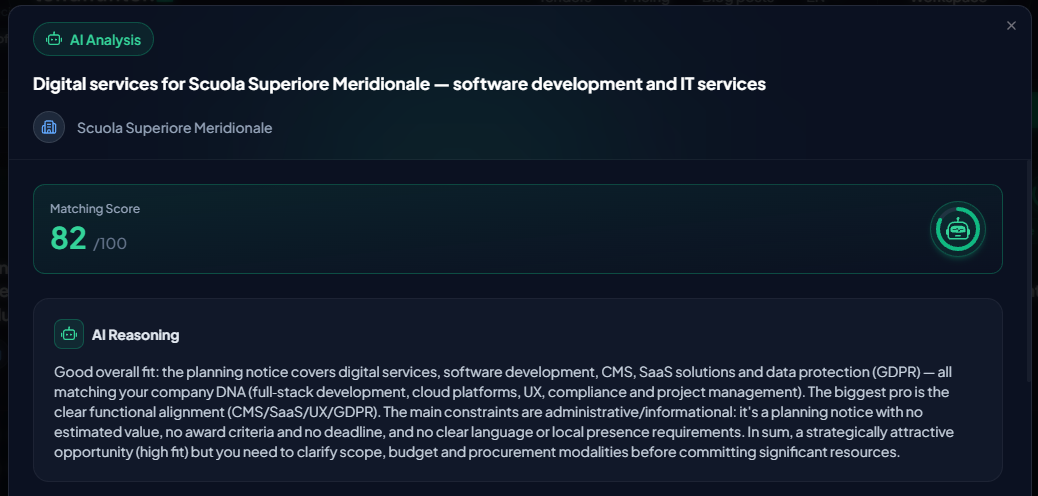
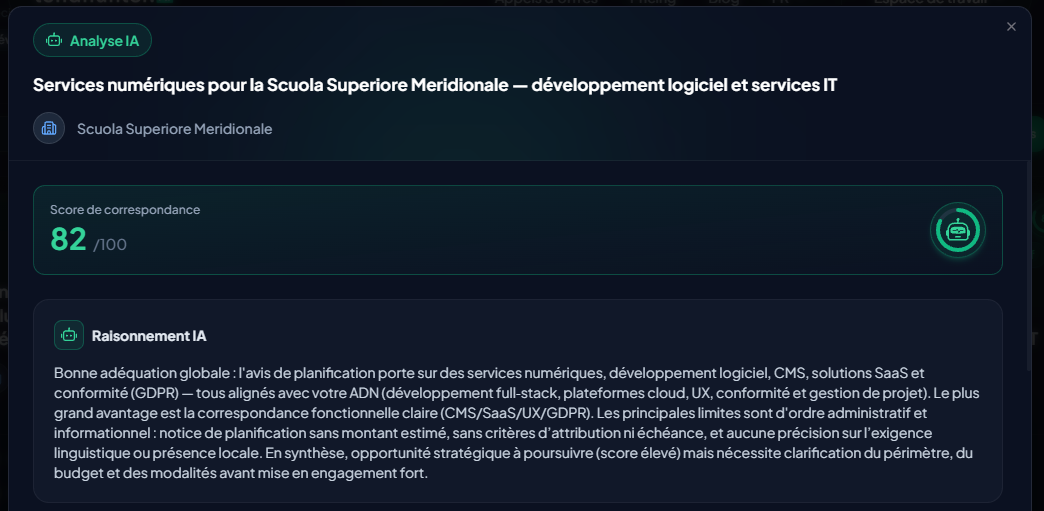
On both pages, each tender card is enhanced with an AI Matching Analysis. To understand the score, click the "AI Analysis" button. This opens a complete analysis report that simulates a senior bid manager's "Go/No-Go" decision process, providing you with a 360-degree view of the opportunity.
Here’s what you’ll find inside:
- Global AI Reasoning: Think of this as the executive summary. The AI synthesizes the big picture, explaining why the score is high or low by connecting the tender's goal with your company's profile.
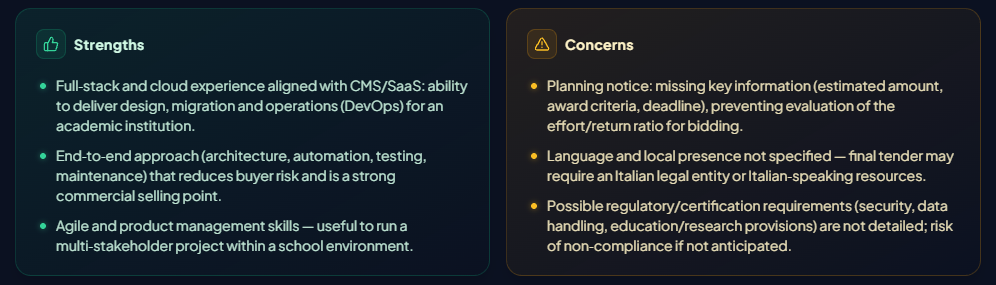
- Strengths & Concerns: A clear breakdown of your competitive advantages for this specific bid, alongside red flags or potential gaps (e.g., missing certifications, tight deadlines) that require your attention.
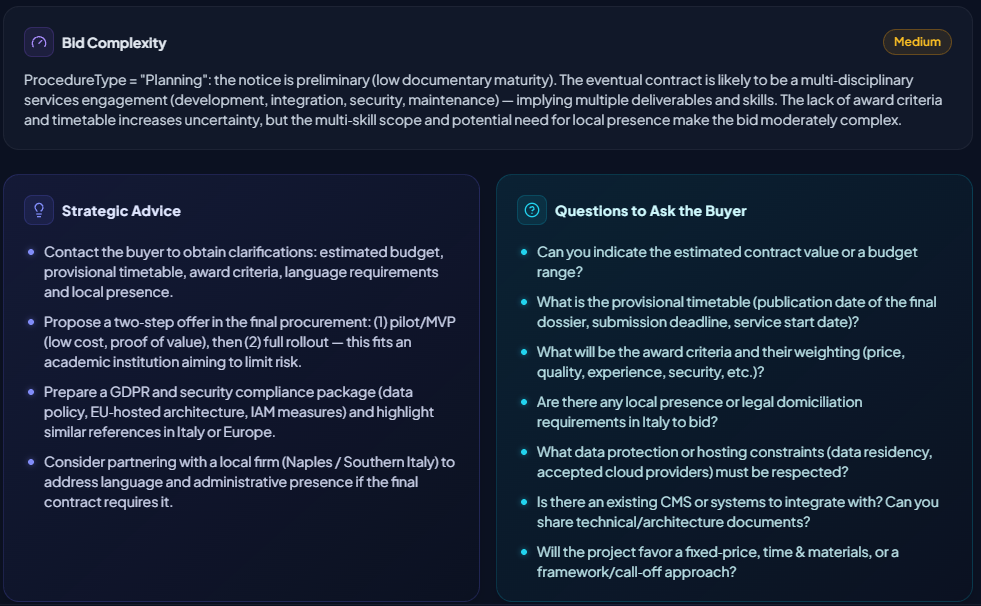
- Bid Complexity: Our AI assesses the procedural and administrative effort required (Low, Medium, High), analyzing factors like the procedure type, the weight of experience vs. price, and the submission deadline.
- Strategic Advice: Go beyond analysis with concrete, actionable recommendations to improve your bid, such as partnering with another company for a specific lot or highlighting certain aspects of your experience.
- Questions to Ask the Buyer: The AI identifies potential ambiguities in the tender documents and suggests specific questions to clarify with the buyer, helping you de-risk your proposal.
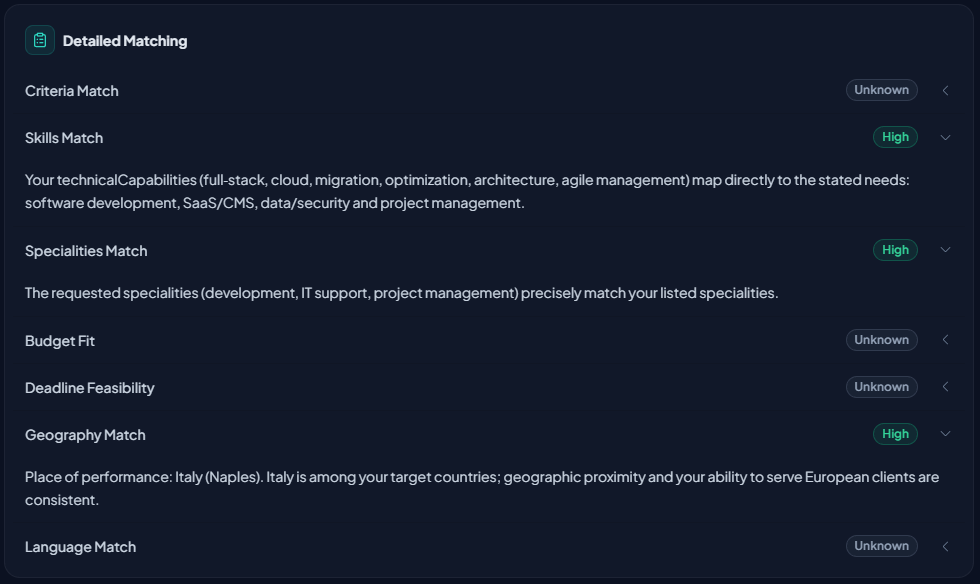
- Detailed Match Breakdown: For full transparency, the AI provides a granular breakdown of how well you match specific criteria, including Skills, Budget, Deadline Feasibility, Geography, and more.
- Lots Matching: For multi-part tenders, our AI evaluates and scores your company's fit for each specific lot, allowing you to focus your efforts where you have the highest chance of winning.
From the "Suggestions" tab, this deep analysis allows you to confidently add the most promising opportunities to your project.

4.2 The Tracking Board
The "Board" tab is the operational heart of your project. It’s a Kanban-style board specifically designed for the tender lifecycle, allowing you to visualize and manage the progress of each opportunity intuitively.
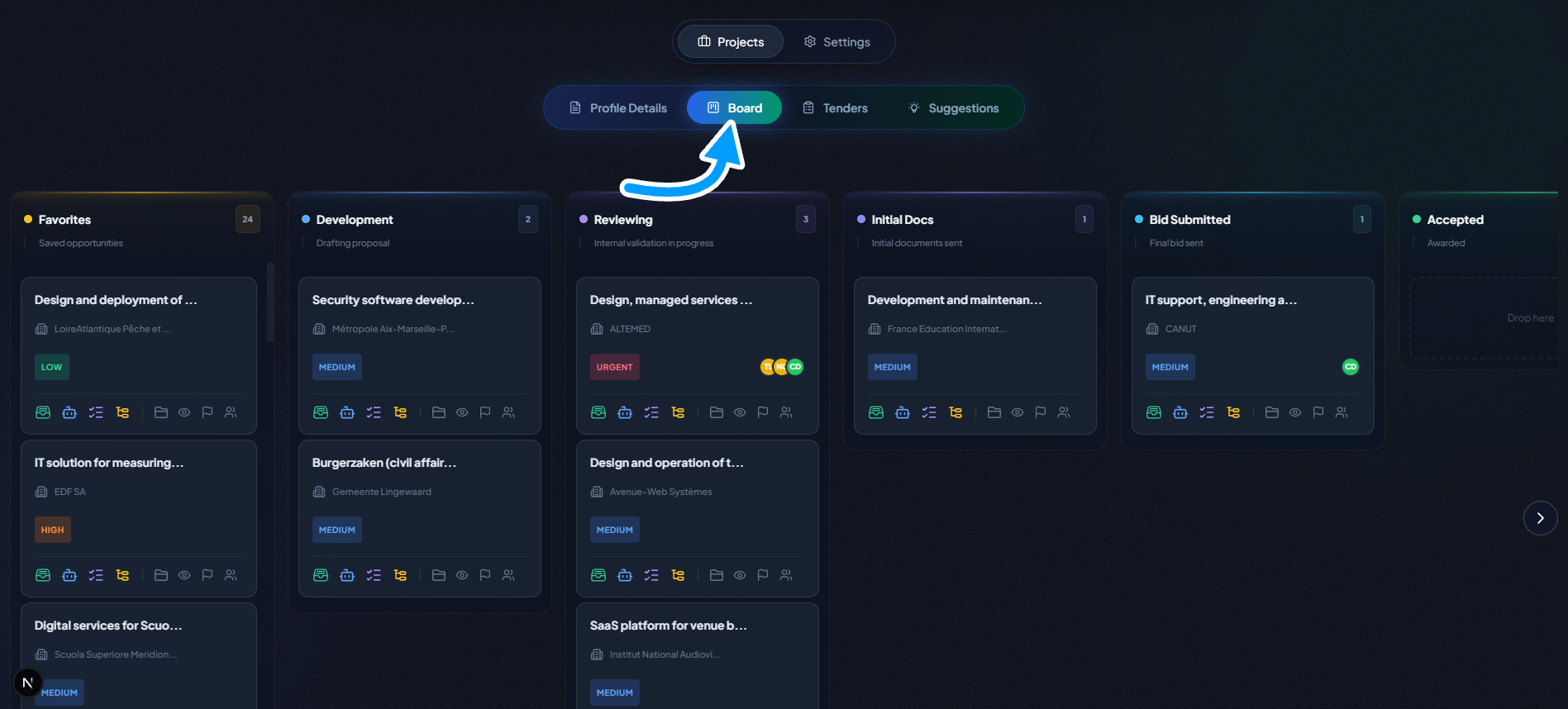
Simply drag and drop tender cards between columns to update their status:
- Favorites: The default column for any newly added tender.
- Development: The proposal is being written.
- Reviewing: The proposal is undergoing validation.
- Initial Docs: The first set of documents has been submitted.
- Bid Submitted: The final offer has been submitted.
- Accepted: Congratulations, your offer was accepted!
- Refused: The offer was not selected.
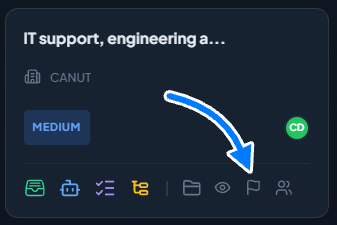
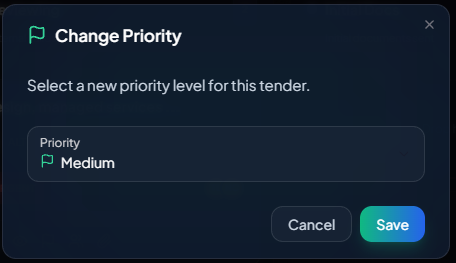
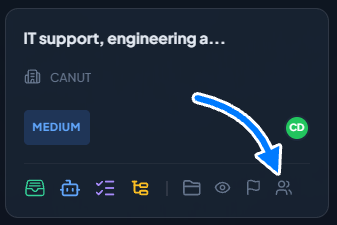
Each card on the board is an interactive mini-dossier where you can:
Change the priority (high, medium, low)
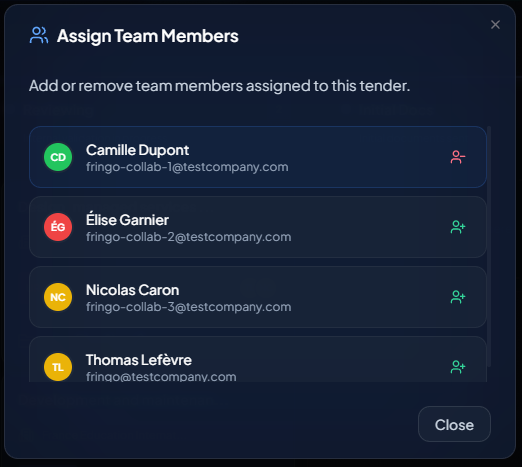
Assign team members to a specific tender (Business Plan)
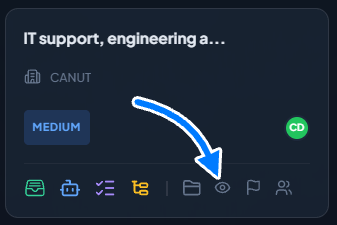
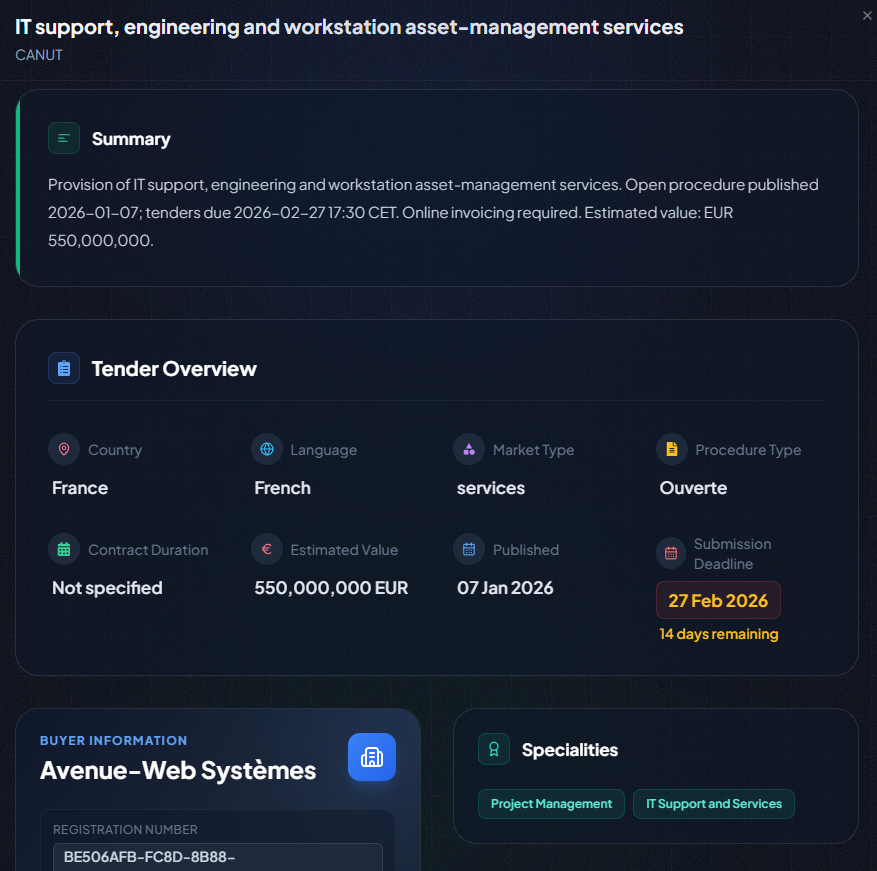
Access the summary sheet of the Tender
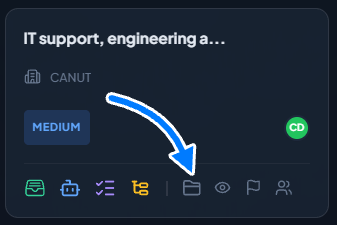
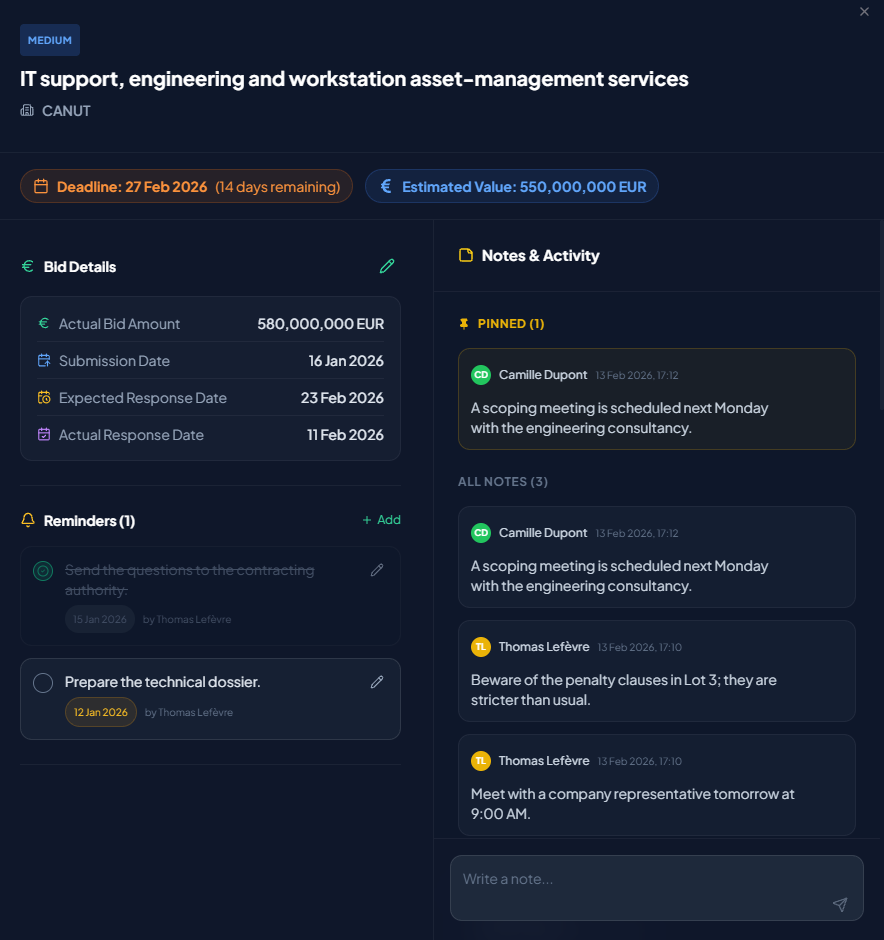
Access the tender's Submission workspace to :
- Add crucial information: Actual Bid Amount, Submission Date, and Response Dates.
- Create reminders with due dates.
- Add text notes and pin them for visibility.
- View the activity log to track every change.
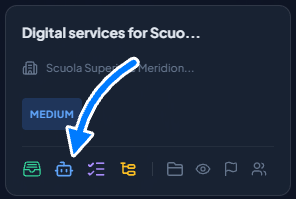
Access the AI matching analysis of the tender with your project
Open the AI Document Assistant
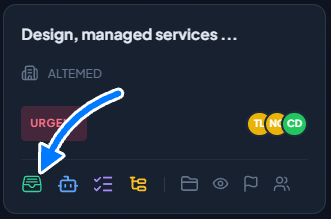
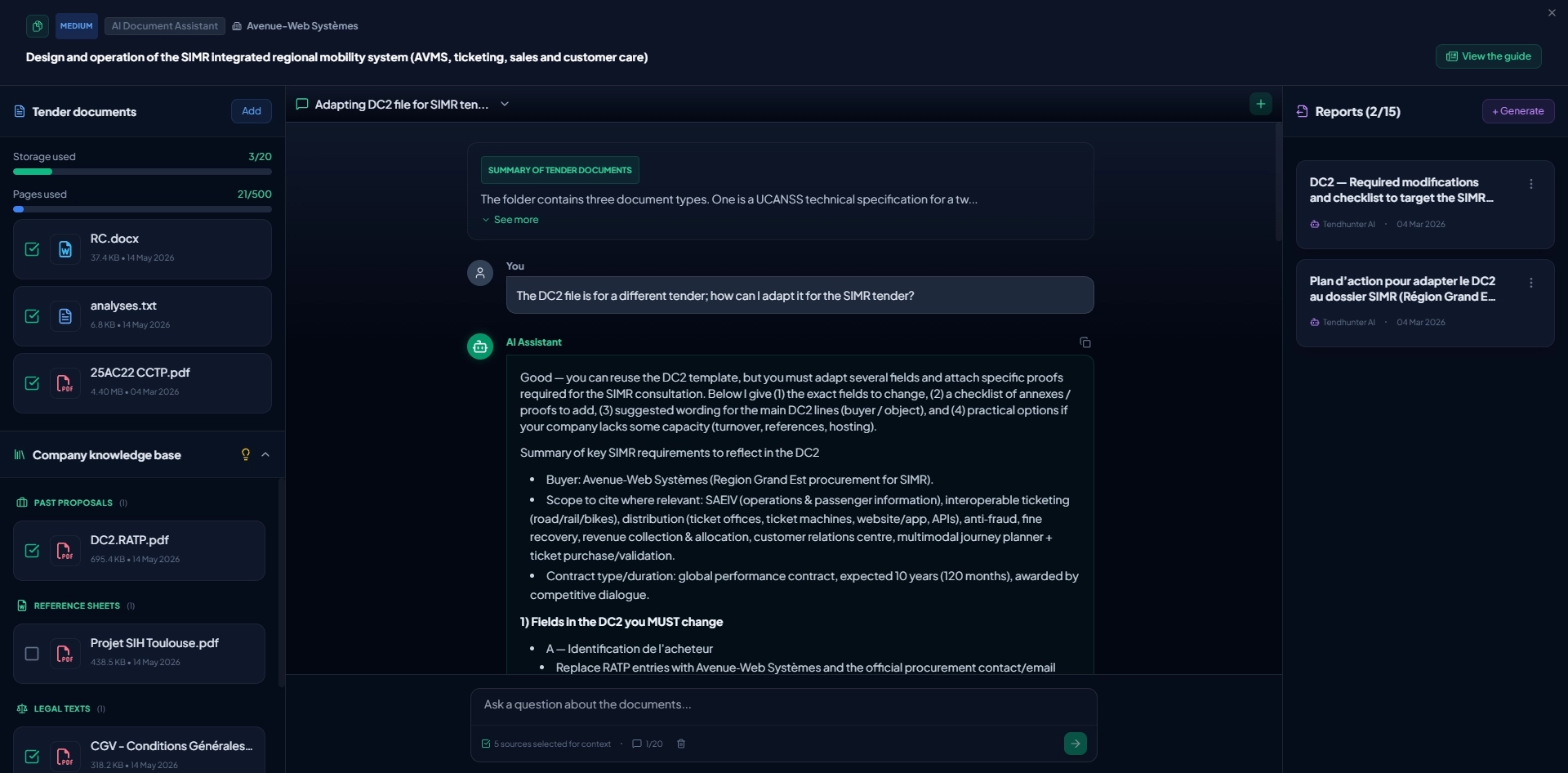
The ‘Documents’ icon on a board card opens one of TendHunter’s most advanced features. Here, you can upload the tender documents (DCE, RC, CCTP, etc.), along with your internal documents and combine them with the reusable documents from your Company Knowledge Base (past proposals, CVs, certifications). Our AI doesn’t just read them: it analyzes them in their global context, taking into account the tender information, your project criteria, and your company profile.
Based on this contextual analysis, you can:
- Generate Strategic Reports: Ask the AI to summarize key requirements, identify potential risks, or provide advice on what to highlight in your proposal. Reports are generated from the documents uploaded by the user, based only on the selected sources for the analysis.
- Chat with Your Documents: Open a chat with our AI. Ask specific questions about the specifications ("What are the late delivery penalties?"), ask for writing assistance ("Suggest an introduction for the technical section"), or assess your positioning ("What are our main weaknesses for this tender?"). The AI retains your documents in its memory to provide precise, relevant answers.
To discover in detail all the features of the AI Document Assistant and the best practices for using it effectively, please refer to our dedicated article:**** The Guide to TendHunter's AI Document Assistant.
Run the Smart Checklists
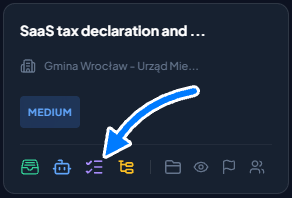
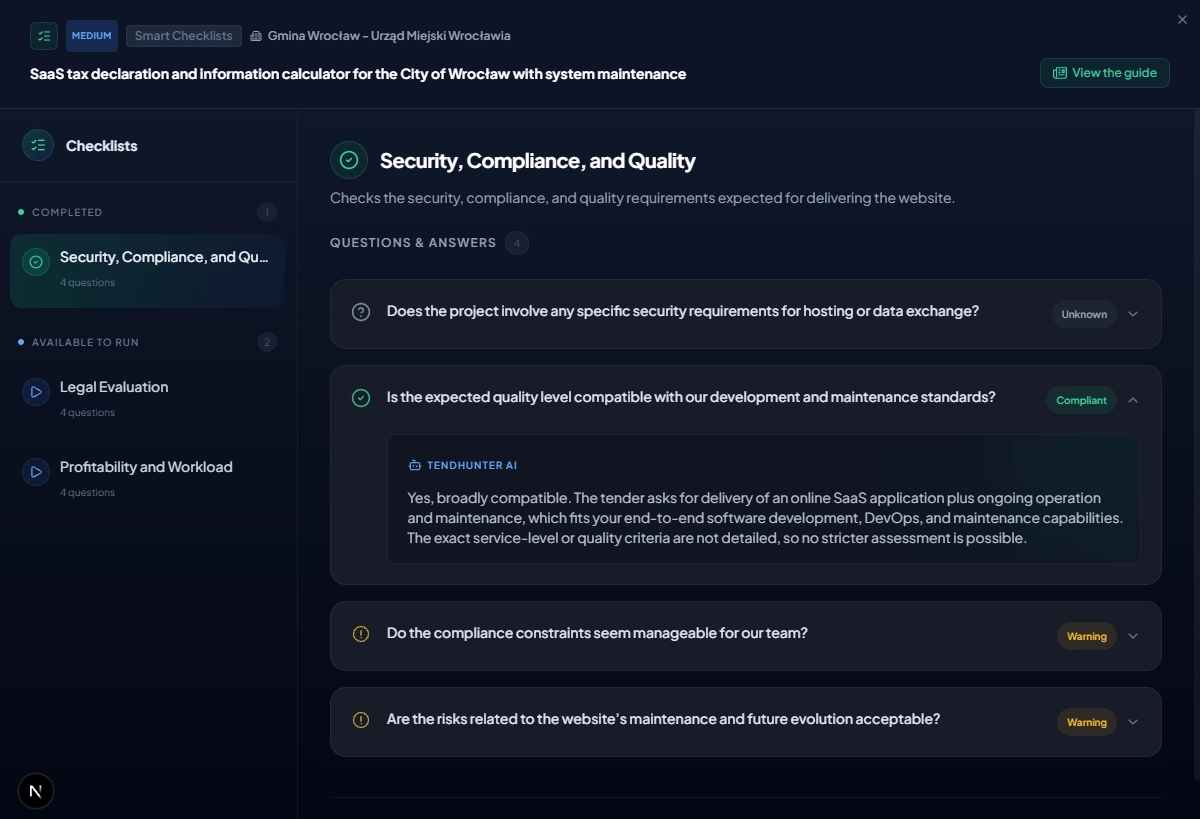
The Smart Checklists icon on a board card opens the execution page for the intelligent verification lists tied to this project. This is where you test the tender against your own Go/No-Go criteria.
The principle in two steps
- At project level, you create your checklists (up to 10) by adding your decision questions (up to 10 per checklist): administrative compliance, technical feasibility, financial risks, strategic alignment, etc.
- At tender level, you run a checklist in a single click. The AI simultaneously cross-references the tender data (description, lots, criteria, dates…) and your project data (specialties, capabilities, technologies, certifications…) to answer each of your questions with a clear status: Compliant, Attention, Non-compliant, or Unknown, with a short justification.
Why this matters
- You formalize and automate the internal expertise that guides your bid/no-bid decisions.
- You standardize evaluation across all your opportunities.
- You spend less time looking for answers and more time deciding.
To go further: the creation, editing, updating, and history of checklists are described in our dedicated article: The Smart Checklists Guide.
Access the Tender Task Management
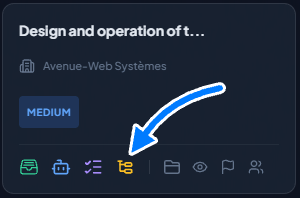
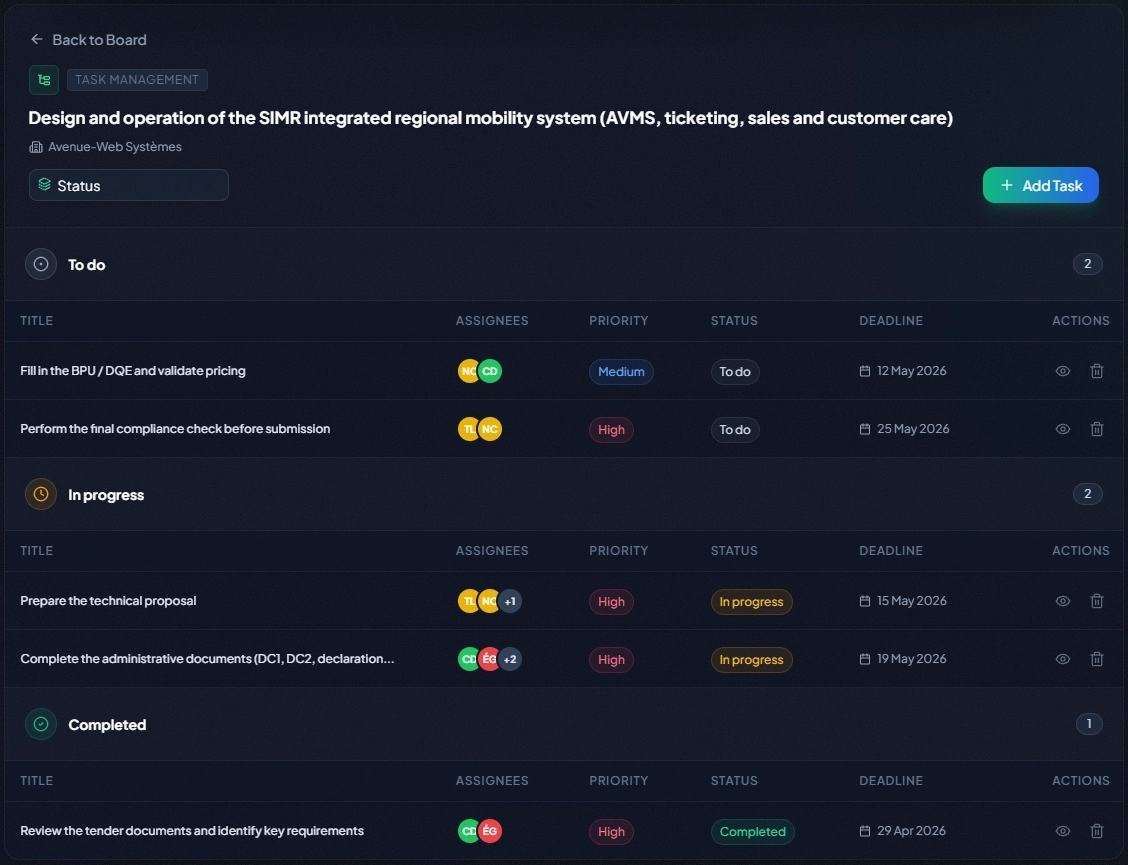
The Tender Task Management icon on a board card opens the operational workspace dedicated to that tender. Whereas the Tracking board gives the pipeline overview, this module zooms in on concrete actions: who does what, by when, and where things stand.
What you’ll find there
- A clear view of every task for the tender, groupable by status (To Do / In Progress / Done), priority (High / Medium / Low), or assignment.
- A quick-create form to add a task in seconds: title, description, priority, deadline, assigned members.
- A detailed task view to manage sub-tasks, exchange via comments, and review the activity log.
- Inline editing: priority, status, and assignment can be changed in a single click directly in the list.
Depending on your plan
- Pro Plan: organize your personal work. The module acts as your dedicated to-do list for each tender.
- Business Plan: unlock full collaborative power. Assign tasks to one or several project members, follow progress in real time, and coordinate your experts through comments.
To go further: the full anatomy of a task, the roles and permissions (who can create, edit, comment, delete), and best practices for organization are detailed in our dedicated article: The Tender Task Management Guide.
5. Collaboration is Key to Success (Business Plan Exclusive)
The Business plan is built for teams. As an Admin, navigate to Settings -> Team to invite collaborators to your company account.
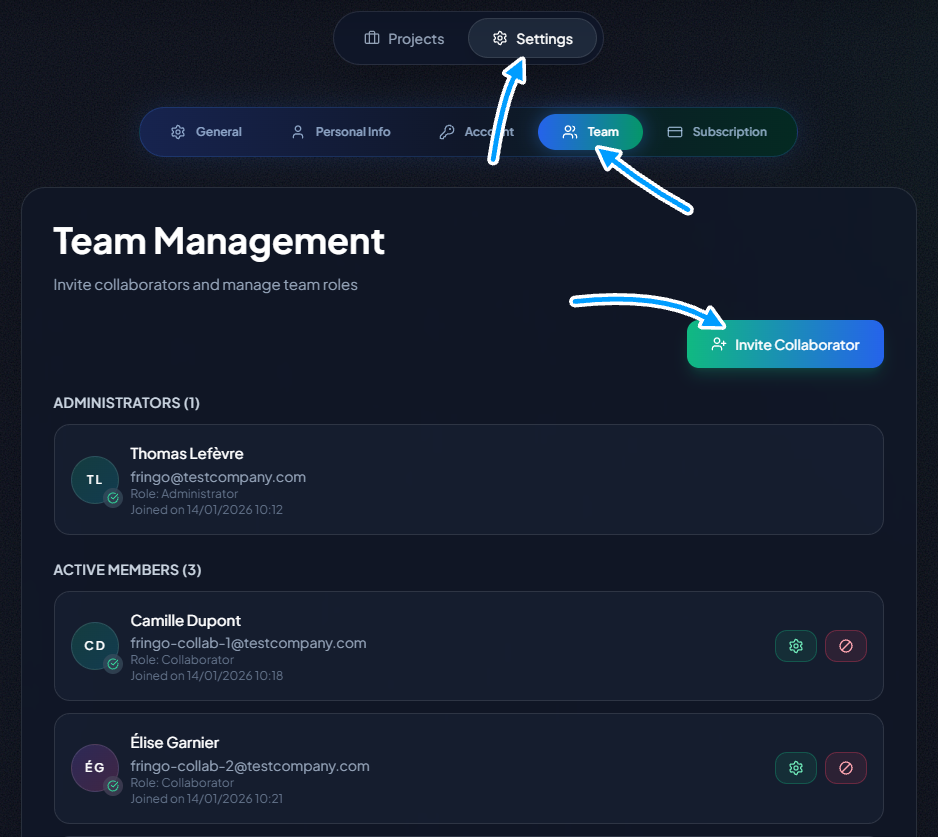
Once your team is set up, you can:
- Add members to specific projects.
- Assign project members to particular tenders directly from the tracking board.
This granular control ensures the right people are working on the right opportunities, all within a centralized, transparent environment.
For an in-depth guide on managing roles and permissions, please read our dedicated article: The Guide to Team Management in TendHunter.
Conclusion: Your Partner for Growth
TendHunter is far more than a tool; it’s a complete ecosystem designed to transform your tender response process. From simple filtering to AI-powered strategic analysis, through Smart Checklists that inject your internal expertise into every decision, tender task management that structures your day-to-day execution, and the AI Document Assistant connected to your Company Knowledge Base, every feature is built to save you time, improve your relevance, and ultimately increase your chances of winning new contracts.
Whether you're just starting to explore or need a robust solution for your entire team, there's a TendHunter plan that's right for you.